
FREE WORDPRESS PLUGIN
Request Callback
WordPress Plugin
Add a simple callback request button and form to your WordPress website. Visitors can leave their name and phone number so you can call them back.
✓ 100% free
✓ Easy to customise
✓ Simple shortcode

SIMPLE CALLBACK REQUESTS
Make it easier for visitors to contact you
Give website visitors a quick way to ask for a call without searching for your phone number or filling out a long contact form.
Floating callback button
Display a clear callback button on your website so visitors can open the request form from the page they are viewing.
Email notifications
Choose the email address that should receive new callback requests and customise the notification subject.043CC8
Customisable design
Adjust colours, labels, button style, widget position, corner radius, icons and text size from WordPress settings.
SEE IT IN ACTION
A simple experience for your visitors
The callback button stays visible on your site. When a visitor clicks it, they can enter their name and phone number and submit the request without leaving the page.

1. Visitor sees the callback button
Keep the call-to-action available while visitors browse your website.
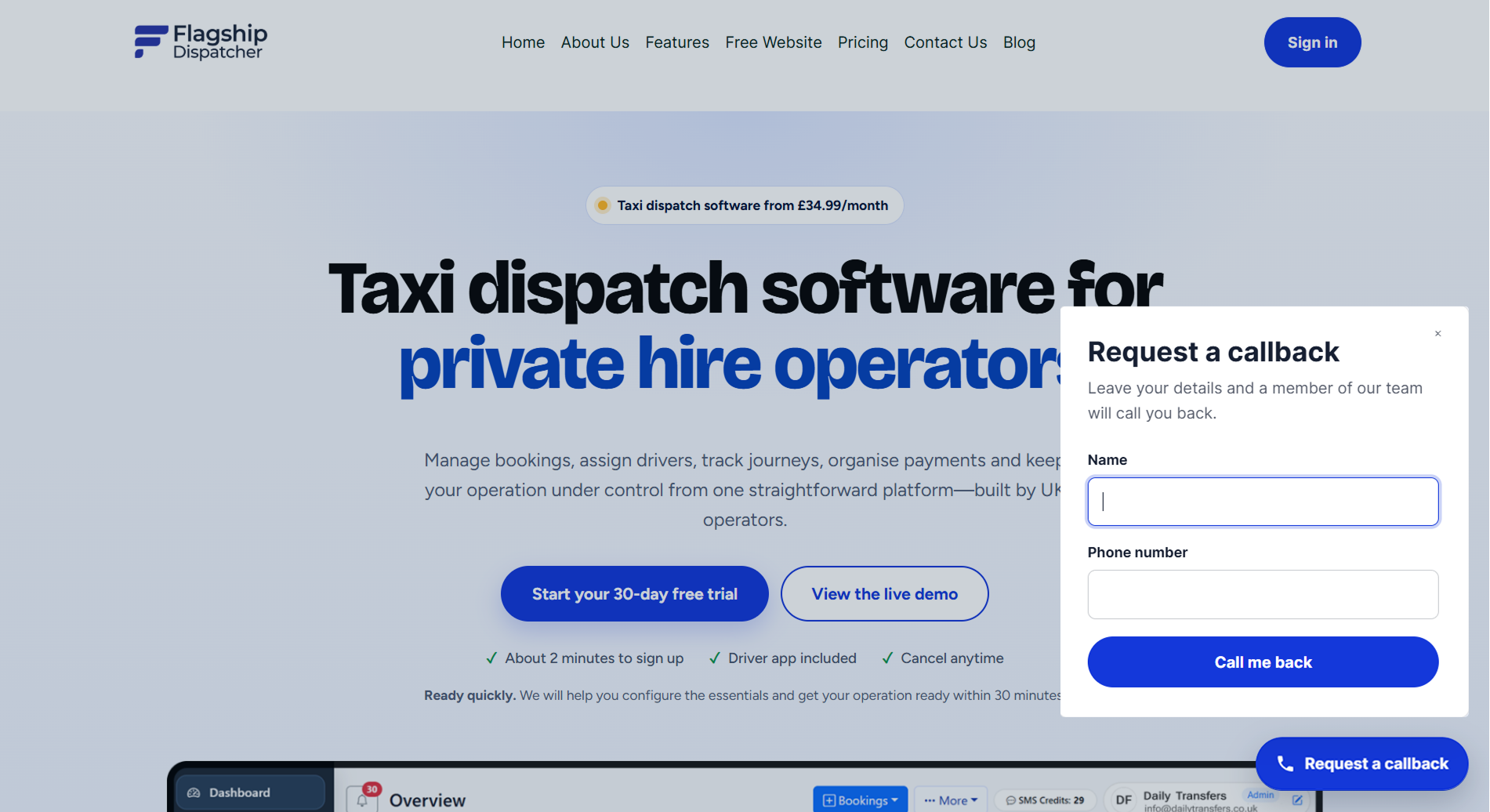
2. They leave their details
A short form asks for the visitor’s name and phone number.
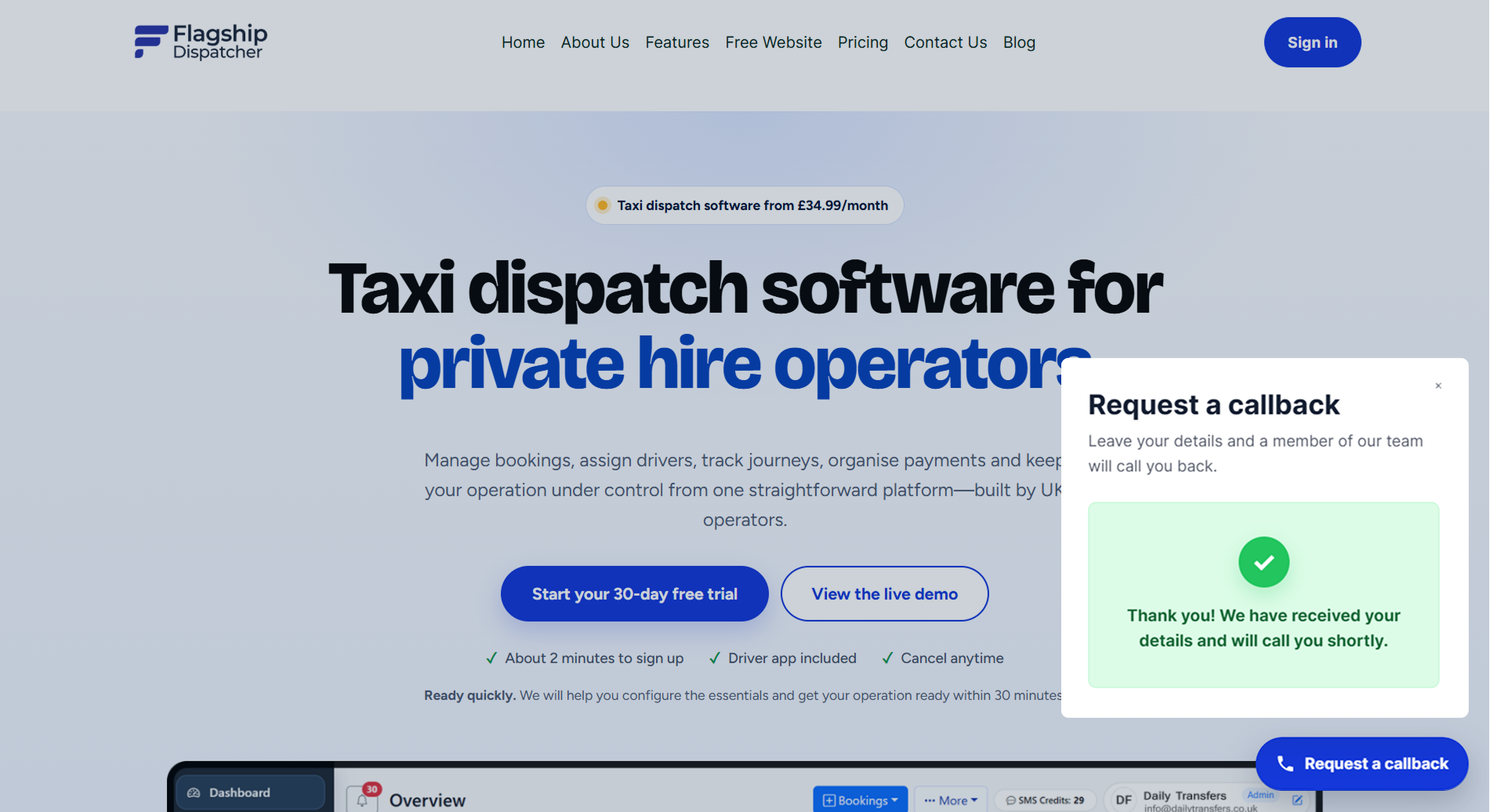
3. They get confirmation
Show a custom success message after the request is sent.
MAKE IT YOUR OWN
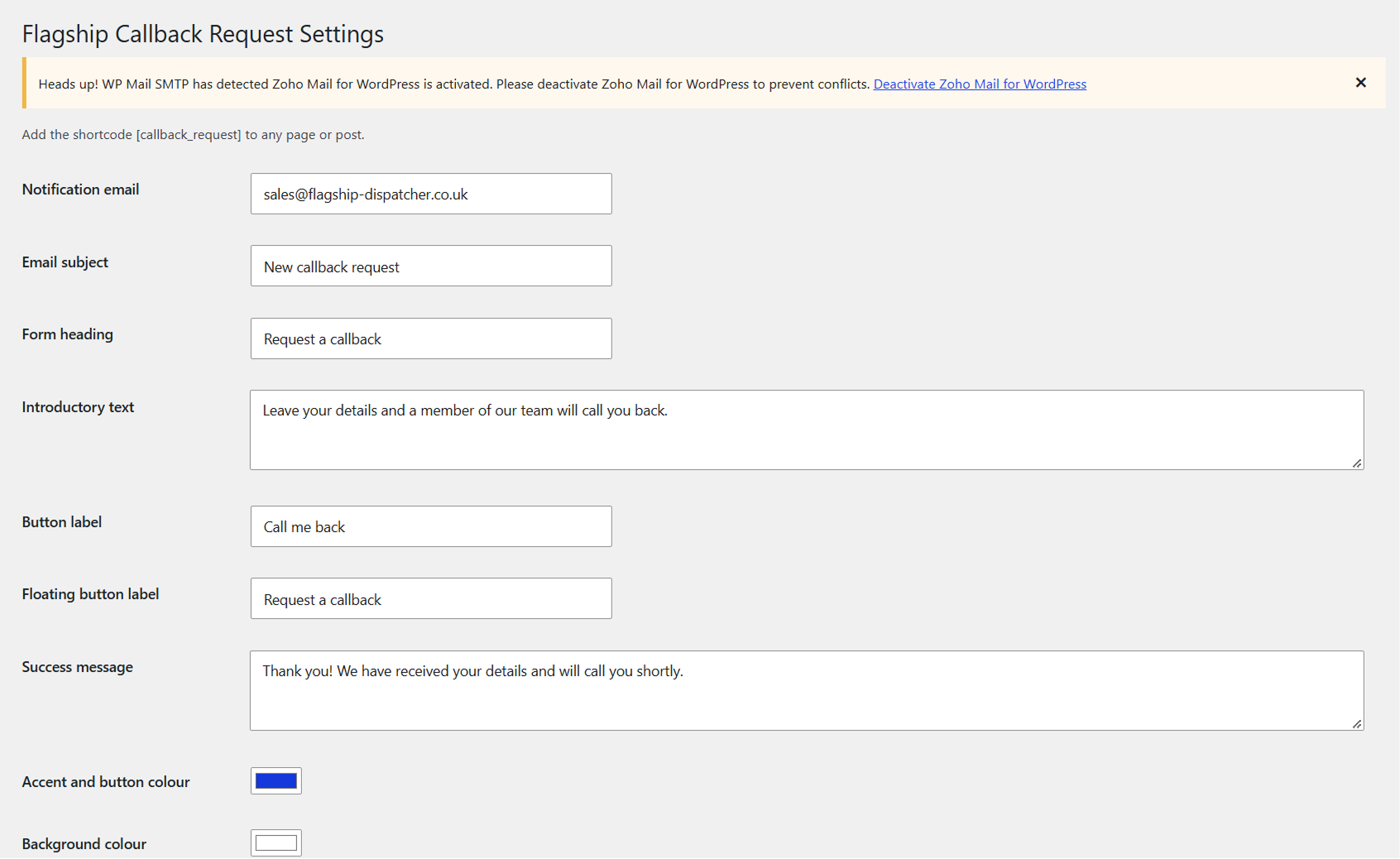
Customise the plugin from WordPress
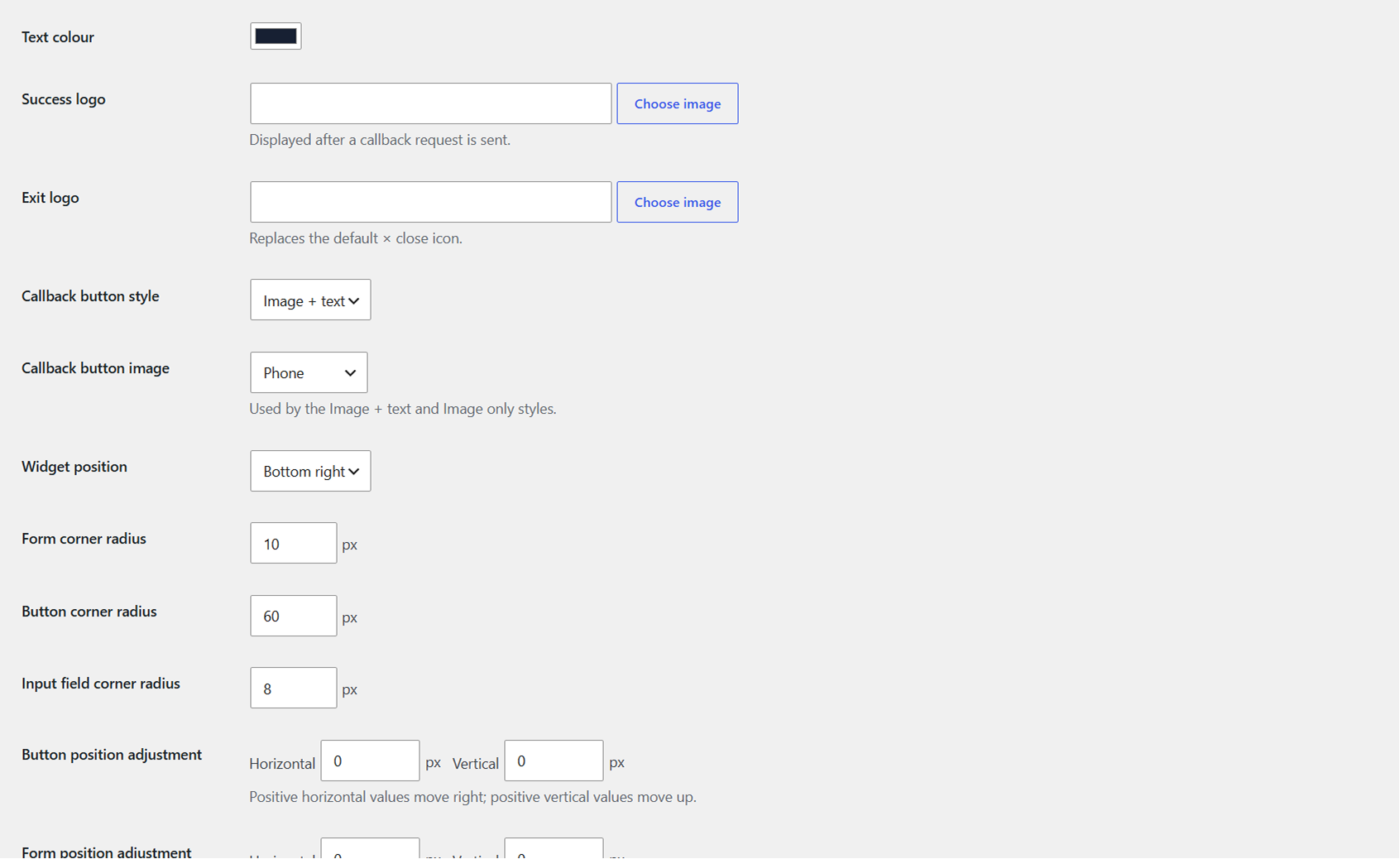
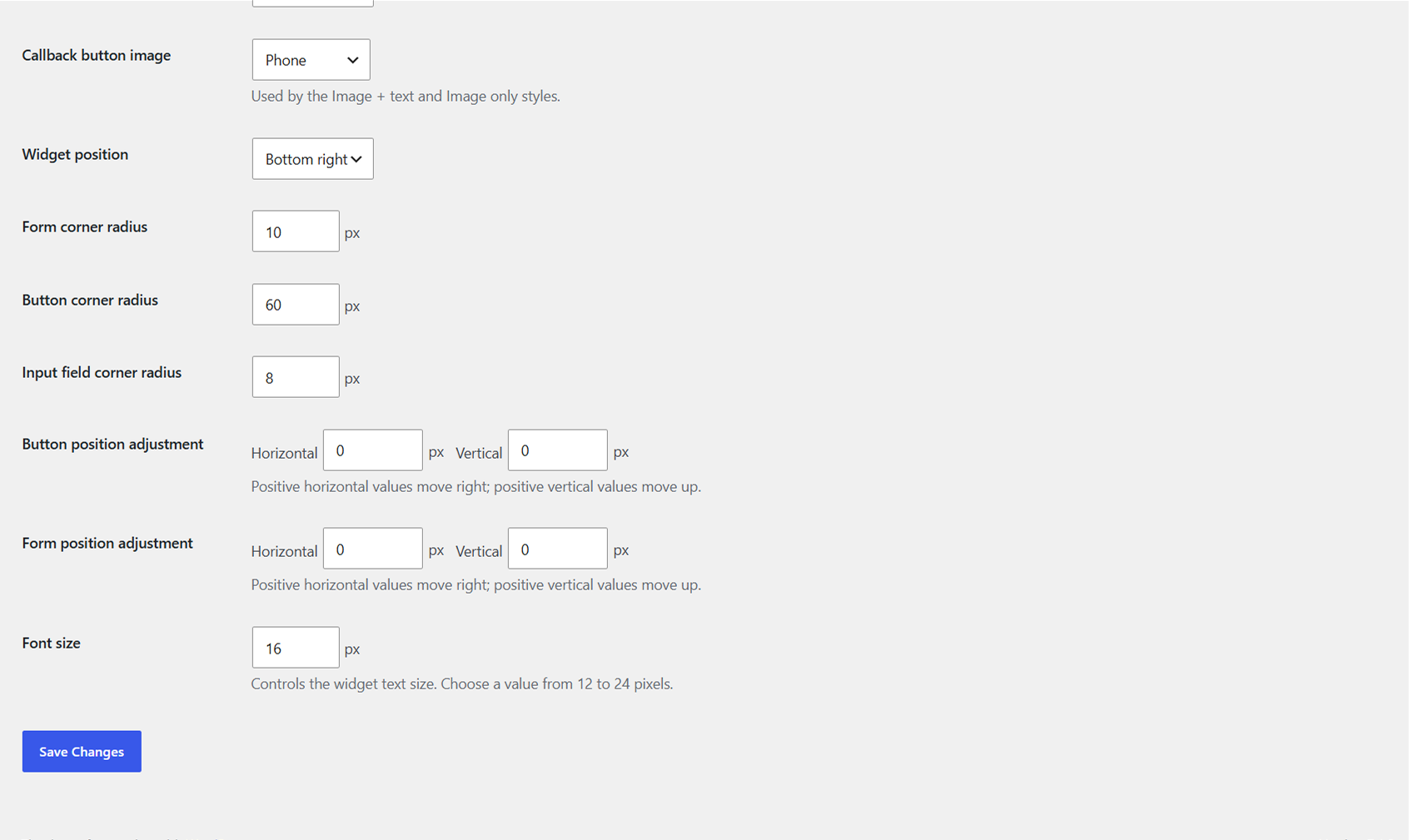
Change the wording and appearance without editing the plugin code. The settings page gives you control over the form, button and confirmation message.
- Notification email and email subject
- Form heading and introductory text
- Button labels and success message
- Accent, background and text colours
- Success and close images
- Button style and button image
- Widget position
- Form, button and input corner radius
- Button and form position adjustments
- Widget font size
QUICK SETUP
Install it and start receiving requests
Upload and activate the plugin in WordPress, choose your settings, then use the shortcode anywhere you want the callback form available.
STEP 1
Install and activate
Upload the plugin to WordPress and activate it from the Plugins screen.
STEP 2
Choose your settings
Set your notification email, wording, colours, button style and position.
STEP 3
Add the shortcode
[callback_request]Useful questions
Is the Request Callback plugin free?
Yes. The plugin is free to download and use on your WordPress website.
Where are callback requests sent?
You can choose the notification email address in the plugin settings. New callback requests are sent to that address.
Can I change the button text and colours?
Yes. You can change the form heading, introductory text, button labels, success message, colours, button style, position and other appearance settings.
Can I add the callback form to a page or post?
Yes. Add the shortcode to the page or post where you want the callback form to appear.
FREE WORDPRESS PLUGIN
Add callback requests to your website
Download the plugin, customise it to match your website and give visitors a quick way to ask you to call them back.